GymTV, Gym Audio & livegood Player Swap Manual
- Please find enclosed your replacement player to swap out the faulty player you have reported.
- It is recommended to lower the volume in the club when swapping to prevent jarring interference sounds.
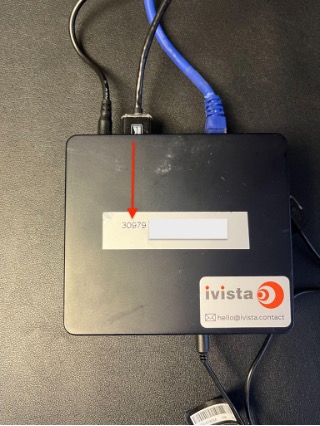
- To identify the player requiring replacement, verify that the unique 5-digit number on the player’s unit corresponds to that of the defective unit.
Up to four cables may require connecting: power, Ethernet, 3.5mm audio, and HDMI.
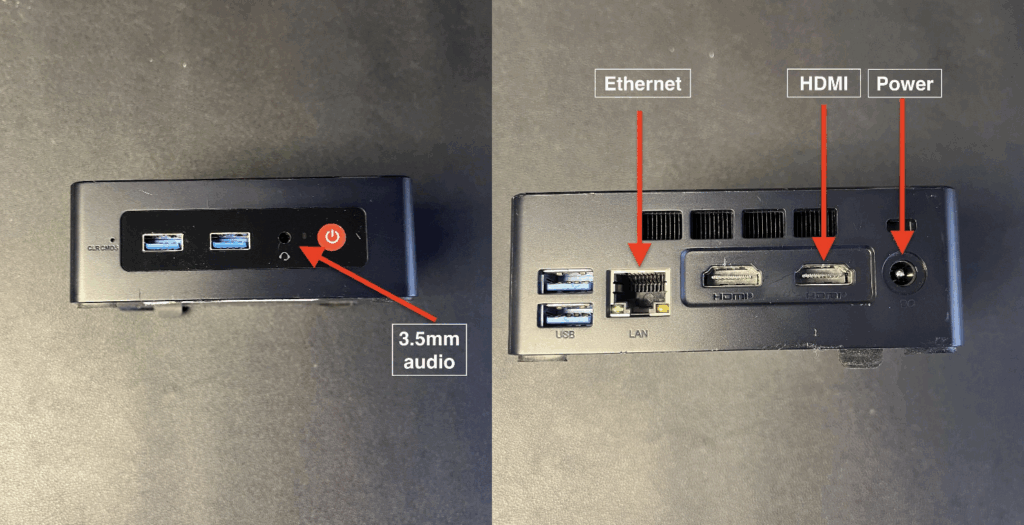
It is important to connect the power cable last!!!
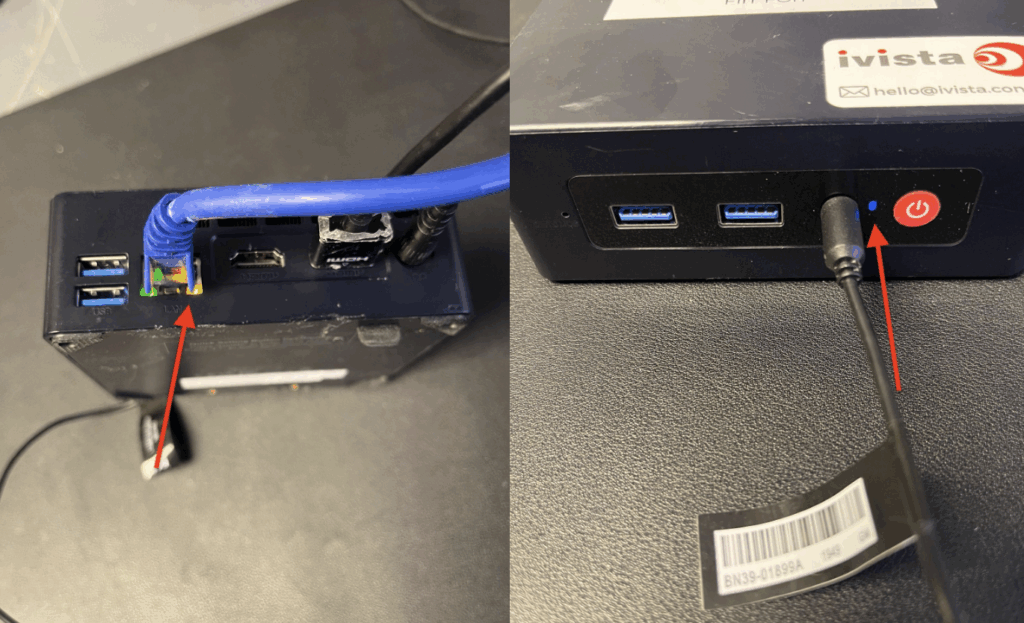
- Upon connection of all relevant cables, verify that the new player exhibits a blue light on its front panel and that the Ethernet cable displays blinking lights.
- Call our support team on 0203 511 2127 to verify the player is working as intended.
- Please place the old media player in the prepaid returns bag and return it to us as soon as possible.